Ongoing WordPress support for businesses that need their website to keep working. Plugin updates, performance fixes, incident response and the proactive monitoring that catches problems before they reach visitors.
Expert Support
WordPress websites need regular maintenance to stay secure and perform well. Priority Pixels provides WordPress managed hosting, maintenance, security and support services so you can focus on your business instead of worrying about your website.
Deep Knowledge
Priority Pixels has been operating since 2016 and our team’s WordPress experience goes back to 2003 when the platform first launched. We currently maintain over 200 WordPress websites and our WordPress development team takes care of the technical side so your website stays reliable for your visitors.
Proactive Care
Most WordPress security breaches happen through outdated plugins, not the WordPress core itself, which is why keeping them updated matters. We identify performance issues, test changes in staging environments and provide training sessions so your team can manage day-to-day content with confidence.

WordPress Support Across Sectors
Priority Pixels provides WordPress support across technology, healthcare, maritime, public sector and professional services.
- V.Group – Ongoing WordPress hosting, maintenance and support across the V.Group portfolio, keeping multiple brand websites secure, updated and performing across 30 countries.
- Littlefish – WordPress hosting, security monitoring and ongoing development support, ensuring their website stays fast and reliable as their business scales.
- East London NHS Foundation Trust – WordPress support and maintenance for the Trust’s Quality Improvement website, meeting NHS accessibility and security requirements.
- Transaid – Ongoing WordPress support keeping Transaid’s website secure, updated and accessible for donors, government partners and international stakeholders.
- Cornerstone Housing – WordPress maintenance and support to WCAG 2.2 AA standards, with regular updates and security monitoring for a website serving residents and partners.
Ongoing WordPress support from a dedicated team
Priority Pixels runs WordPress support as its own discipline. Every site on our retainer is looked after by developers who work in WordPress every day, with core, plugin and theme updates tested against a staging copy before they touch the live site.
That dedicated focus gives our clients the benefits of proper WordPress support. Managed UK hosting, uptime monitoring, off-site backups, security hardening, malware scanning, PHP version upgrades, database maintenance and prioritised fixes when something breaks all sit inside the retainer. One team, one point of contact, one line of accountability.

Our WordPress Support Services
Ongoing Development Support for Existing WordPress Websites
Websites are never truly finished. Whether you need new features built, third-party integrations connected, content management improvements or regular development support for an existing WordPress website, our team handles it. We work with businesses that need ongoing technical expertise without the overhead of a full-time developer, covering everything from plugin customisation and API integrations to template modifications and performance improvements.
Fast, Secure Managed Hosting Built for WordPress
Priority Pixels provides WordPress Managed Hosting that delivers fast, secure website management. Our service includes automatic updates, daily backups, security measures and 24/7 monitoring to guarantee your website stays online and secure. With fast load times, scalable infrastructure and dedicated support, we handle all technical aspects, allowing you to focus on growing your business.
Proactive Maintenance, Security Monitoring and Plugin Management
WordPress is central to our work at Priority Pixels, enabling us to design dynamic websites and integrate advanced ecommerce or booking systems tailored to each clients needs. We handle all aspects of website maintenance, including plugin updates, 24/7 monitoring and performance optimisation, ensuring your website operates efficiently. Security receives top priority, with measures including malware monitoring, IP blocking and firewall integration.
Our WordPress Support Case Studies
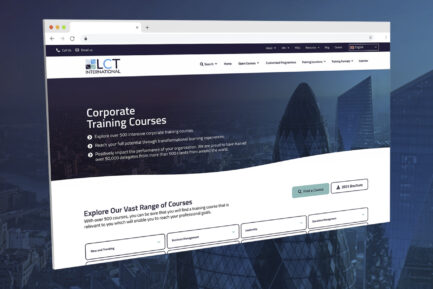
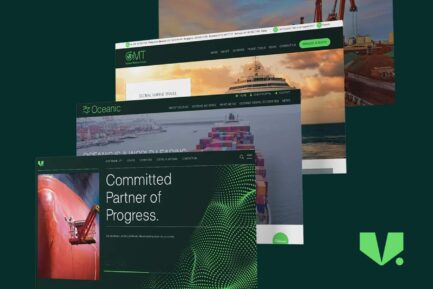
See how our WordPress support services have helped businesses maintain reliable, secure websites with proactive maintenance and expert technical care.



Our WordPress Support Team
WordPress support needs people who can fix things properly the first time, not just patch over them and move on. Our team handles content updates, plugin updates, layout adjustments, security patches, plugin conflict resolution and the deeper fix work that follows a failed update or hosting incident. Every account gets the same people every month so context carries between jobs without anyone needing to be re-briefed.

Owen Lewis
Senior Web Developer
Owen heads up WordPress support with over 20 years experience. Critical incidents, hosting and database issues, plugin conflicts that need careful resolution and the technical work behind any escalated ticket all come through him. If a problem cannot be reproduced on staging, he is the person who finds where it is actually happening in production.

Lisa Moody
Website & SEO Support
Lisa runs day-to-day support work across our WordPress accounts. Content updates, plugin updates, small layout fixes, page additions and the smaller tickets that need a quick, careful turnaround land on her desk.

Monica Johnson
Senior Designer
Monica handles the support work that touches design. Layout adjustments, new template designs, brand refreshes that need to thread through existing pages and the design QA that follows a major update are decided at her stage.

Jess Pearce
Digital Marketing Administrator
Jess keeps the support queue running. She triages tickets between accounts and developers, books recurring check-in calls and makes sure nothing waits in someone's inbox while the website needs a fix.
Sectors We Work With
WordPress websites need ongoing technical attention. Small changes, bug fixes, content updates and platform questions all stack up. We provide WordPress support across sectors where downtime, errors and slow responses cost real money.

B2B
B2B WordPress support keeps your marketing website running through campaigns, product launches and seasonal demand. We provide fast turnaround on content changes, bug fixes and the small updates that pile up between bigger development projects.

Technology, IT & SaaS
SaaS WordPress support fits around your release cycle. We provide developer-friendly support, fast turnaround on documentation updates and the technical fixes that keep your marketing website moving at the pace your product team works at.

Healthcare
Healthcare WordPress support carries compliance awareness and patient impact. We provide priority response on sensitive issues, careful handling of patient-facing content and the GDPR-aware support practices healthcare audits expect.

Shipping & Maritime
Maritime WordPress support keeps technical content current as your services and fleet change. We provide quick updates to vessel data, service descriptions and port information, with the technical accuracy your specialist audience demands.

Construction
Construction WordPress support keeps project galleries, location pages and tender content current. We provide quick turnaround on project additions, regional updates and the editorial changes that follow live business activity.

Professional Services
Professional services WordPress support handles partner changes, specialism updates and case study additions. We provide careful editorial work, regulated content handling and the responsive support a growing practice expects from its agency.
Your Trusted WordPress Support Partner
Our WordPress support services cover audits, performance reviews, training, migrations, emergency support and strategic consulting. Each is designed to keep your website stable, secure and performing while giving your team the confidence to manage day-to-day content independently.
WordPress Audits & Performance Reviews
A WordPress audit tells you exactly what’s working on your website and what isn’t. We review your current setup, identify performance bottlenecks, security vulnerabilities and opportunities for improvement. You receive a clear report with prioritised recommendations and realistic timescales for implementing changes.
Most websites we audit have at least five plugins they don’t need and several security issues that could have been avoided. An audit often saves money in the long run by preventing bigger problems down the line. We’ve seen websites running 30+ plugins when they only needed 10, dramatically slowing load times and creating maintenance headaches.
Our audits cover technical performance, security, user experience and operational efficiency. We test website speed, check for outdated software, review user permissions and assess backup and recovery procedures. The goal is to find problems before they affect your visitors or business operations.
We don’t just hand you a list of problems. We explain what each issue means for your business and provide practical solutions you can implement. Some fixes are quick and easy, others require planning and budget. We help you prioritise based on risk and business impact, not just technical severity.
WordPress Training & Best Practice Guidance
We train your team to use WordPress confidently and efficiently. Our training sessions focus on practical skills your team actually needs, not generic tutorials you could find anywhere online. We cover content management, workflow optimisation and WordPress best practices specific to your industry and setup.
We run WordPress training differently depending on what your team needs. Some people just want to know how to update a blog post. Others need to understand user permissions or custom fields. We figure out what makes sense for your situation first.
Most training happens via Microsoft Teams with screen sharing, so your team can ask questions and practice in real-time. We prefer live sessions over pre-recorded videos because everyone learns differently and has different questions. We can also provide follow-up sessions if your team needs additional support after the initial training.
Good WordPress training prevents small problems from becoming large ones. When your team understands how WordPress works and follows best practices, they’re less likely to accidentally break something or create security vulnerabilities. This reduces the number of support tickets you need to raise and gives your team more confidence managing the website independently.
WordPress Migration & Setup
Moving a WordPress website or setting up a new one properly takes planning. We handle WordPress migrations from other hosting providers, CMS platforms or older WordPress installations. We also set up new WordPress websites with proper security, performance optimisation and configurations that make sense for your business.
A successful migration means your website works better on our hosting than it did before. A poor one can take weeks to fix properly. We plan migrations carefully, testing everything in a staging environment before making any changes to your live website. This includes checking that all plugins work correctly and forms still submit properly, while ensuring any custom functionality continues working as expected.
Website migrations often reveal problems that were hidden on the old hosting. Poor database structure, security vulnerabilities or performance issues that were masked by caching sometimes surface during migration. We fix these issues as part of the migration process, so your website ends up more stable and secure than it was before.
New WordPress setups get configured with security hardening, performance optimisation and proper backup procedures from day one. We install only the plugins you need, configure caching appropriately for your hosting environment and set up monitoring so we can spot problems early. This foundation work prevents many common WordPress problems before they start.
Emergency Support & Problem Resolution
When your WordPress website breaks, you need it fixed quickly. We provide emergency support for critical issues like website crashes, security breaches or functionality problems that affect your business operations. Our emergency support gets your website back online fast, then we figure out what went wrong and how to prevent it happening again.
Most WordPress emergencies happen at the worst possible times. We’ve fixed websites during product launches, Black Friday sales and important industry events. Speed matters when your business depends on your website. Our emergency support prioritises getting you back online over identifying root causes. We can investigate properly once your visitors can access your website again.
Common emergencies include plugin conflicts after updates, server issues, security breaches and database corruption. Each requires a different approach, but the priority is always the same. Restore service first, investigate later. We keep detailed logs of what we do during emergency fixes so we can provide a full report once the immediate crisis is resolved.
Emergency support works best when we already know your website and hosting setup. That’s why we recommend regular maintenance agreements. When we’re familiar with your WordPress configuration, we can diagnose and fix problems much faster than if we’re seeing your website for the first time during a crisis.
WordPress Consulting & Strategy
Good WordPress strategy prevents problems before they start. We advise on WordPress architecture, plugin selection, workflow optimisation and long-term planning for your website. Whether you’re planning a redesign, adding new functionality or scaling your operations, we help you make informed decisions about your WordPress setup.
The best WordPress websites are planned with growth in mind. We help you build foundations that won’t need rebuilding every couple of years. This includes choosing plugins that will scale with your business, setting up development workflows that support your team’s needs and planning hosting resources that can handle increased traffic.
WordPress consulting often involves evaluating existing setups and recommending improvements. We might suggest consolidating multiple plugins into custom solutions, upgrading hosting to handle increased load or restructuring content to improve performance. The goal is always to make your WordPress website work better for your specific business needs.
Strategic planning saves money and prevents headaches later. Making the right decisions about WordPress architecture, plugin selection and hosting setup from the beginning costs less than fixing problems after they become critical. We help you think through the long-term implications of technical decisions, not just their immediate impact.
WordPress Support FAQs
Why is my WordPress website so slow?
Slow WordPress websites usually have one of five problems: too many plugins, oversized images, poor hosting, outdated PHP or a bloated database. Websites running 30+ plugins when they only need 10 will struggle because each plugin adds code that has to load.
Images are often the biggest culprit. A single unoptimised photo can be 5MB when it should be 200KB. Shared hosting under £10 per month lacks the resources for decent WordPress performance. We regularly see WordPress websites loading in 15+ seconds that we’ve optimised down to under 3 seconds.
Our WordPress audits identify exactly what’s slowing your website down and prioritise the fixes that will have the biggest impact on performance.
What should I do if my WordPress website gets hacked?
Change all passwords immediately, including WordPress admin, hosting and FTP access. Most WordPress hacks happen through weak passwords or outdated plugins. If you can still access your admin area, update everything straight away.
Scan for malware and remove suspicious files. Hackers often hide malicious code in legitimate-looking files and may create new admin users or modify existing files. This usually requires technical knowledge to identify and clean properly.
We provide emergency support for hacked WordPress websites, including full security audits and malware removal. Our team has cleaned hundreds of compromised websites and can usually restore access within a few hours.
Should WordPress plugins update automatically?
Automatic plugin updates can break your website if there are compatibility issues. Plugin updates sometimes change functionality completely or conflict with existing plugins. Some updates require configuration changes or database modifications.
Testing updates in a staging environment first is safer, especially for complex websites or major version changes. This catches problems before they affect your live website and prevents costly downtime during business-critical periods.
We test all plugin updates in staging environments before applying them to live websites. This approach has prevented countless plugin conflicts and website crashes for our clients.
How often should WordPress be updated?
WordPress core updates should be applied within a few days of release, especially security updates. Plugin updates depend on the plugin and changes involved, but weekly updates are generally recommended for security.
WordPress releases minor updates monthly and major updates twice yearly. Minor updates are usually safe to apply quickly. Major updates can change functionality and require more testing before implementation.
Our maintenance service includes regular WordPress updates on a schedule, so nothing gets forgotten and security patches are applied promptly without risking website stability.
What happens if a WordPress update breaks my website?
Plugin conflicts are the most common cause when updates break websites. One plugin works fine until another gets updated and they stop working together. Theme compatibility issues also occur, especially with major WordPress version changes.
Having recent backups makes recovery straightforward. Without backups, fixing a broken website can take hours or days of troubleshooting. Rolling back to a previous version is usually the fastest solution.
We maintain multiple backup points and test updates first, so if something does break, we can restore your website quickly and identify what caused the problem.
Why does my WordPress website keep going down?
Recurring downtime usually indicates hosting problems, resource limits or underlying technical issues. Shared hosting often oversells server capacity, causing websites to crash during traffic spikes or peak usage periods.
Plugin conflicts can cause intermittent crashes, especially with poorly coded plugins or too many resource-heavy plugins running simultaneously. Database issues also cause instability that worsens over time without maintenance.
Our WordPress managed hosting includes 24/7 monitoring and proactive maintenance. We maintain over 200 WordPress websites which rarely experience downtime due to regular maintenance and proper hosting configuration.
Our Technology Partners